
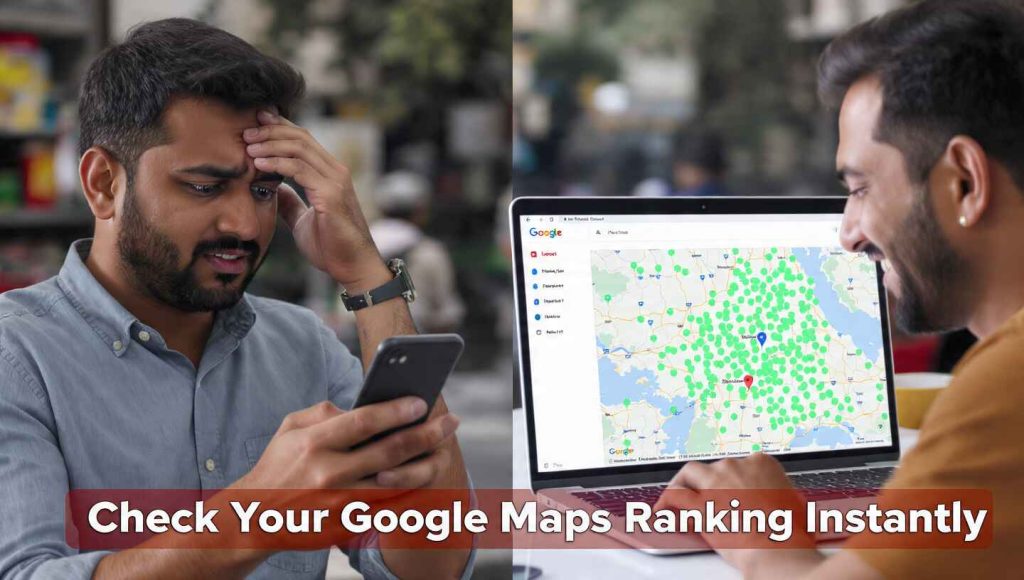
If you are a business owner in a competitive city, you know the frustration: you search for your service while standing in your shop, and you appear at #1. But when your friend searches for the same thing from just two kilometers away, your business is nowhere to be found.
Local search is hyper-local. Your ranking changes block by block. To truly grow, you need more than just a one-time setup; you need a professional GMB ranking tool that tells you the truth about your visibility.
In this guide, we’ll show you how to use an online GMB audit tool to track your positions and, more importantly, how to improve them without hiring an expensive agency.
The Science of “Proximity” in Local SEO
Google uses three main pillars to rank local businesses: Relevance, Prominence, and Distance.
Distance (or proximity) is often the hardest to control. This is why a GMB rank checker free tool is essential. It allows you to see a “grid” of your rankings across different coordinates.
Most business owners make the mistake of checking their rank only from their office. But your customers are searching from their homes, their cars, and their workplaces. An online tool simulates these locations to give you a real-world view of your SEO health.
Why You Need a GMB Rank Checker Free Tool
Tracking your rankings manually is impossible. Google personalizes results based on your search history. If you visit your own website often, Google will show your business higher only to you.
Using a dedicated GMB ranking tool provides:
-
Unbiased Data: See what a first-time customer actually sees.
-
Competitor Insights: Identify which competitor is “stealing” your spot in specific neighborhoods.
-
Progress Tracking: See if your optimization efforts are actually moving the needle over time.
How to Conduct a GMB Audit for Local SEO
Before you can fix your ranking, you need to understand why it’s low. A GMB audit for Local SEO is the first step. When you use our online GMB audit tool, it checks for these “ranking killers”:
1. Missing Keywords in Services
Google scans your “Services” and “Products” sections. If you are a dentist but haven’t listed “Invisalign” or “Root Canal” in the backend, you won’t rank for those specific terms.
2. Category Dilution
Choosing too many irrelevant categories can confuse Google. A GMB audit report will tell you if your primary category matches the top-ranking businesses in your area.
3. Lack of Local Citations
Are you listed on local directories like Justdial, Sulekha, or Yelp? Our best local SEO tool checks if your business information is consistent across these platforms.
No Downloads, No Apps: The Power of Online Tools
The best way to manage your SEO is through a browser. Why? Because Local SEO moves fast.
-
No App Required: You don’t need to clutter your phone with another app that sends constant notifications.
-
No PDF Needed: While some tools give you a GMB audit report in PDF, our online dashboard allows you to click on issues and see how to fix them in real-time.
-
Instant Access: Whether you are on a Mac, Windows, or Linux, an online Google My Business optimization tool works everywhere instantly.
Step-by-Step: Improving Your Rank Using the Audit Report
Once you run your scan, follow this “Power Move” strategy:
-
Analyze the “Red” Zones: Open your GMB audit report and look for the areas where you scored lowest.
-
Update Your Description: Use the primary keyword “Google My Business Optimization Tool” naturally if you are an SEO professional, or your specific service keywords if you are a business owner.
-
Audit Your Images: Google’s AI (Cloud Vision) “reads” your photos. Ensure your photos show your office, your staff, and your work in progress.
-
Respond to Every Review: Even the 1-star ones. Google rewards businesses that interact with their customers.
Benefits of Using the Best GMB Audit Tool
Using a professional-grade Google My Business tool gives you an unfair advantage over local competitors who are still doing things the old-fashioned way.
-
Save Money: Avoid monthly retainers for tasks you can do yourself in 10 minutes a week.
-
Expert Knowledge: Our tool is built following Google Search Quality Guidelines and E-E-A-T (Experience, Expertise, Authoritativeness, and Trustworthiness).
-
Visual Proof: Show your team or partners the growth through easy-to-read charts and maps.
FAQ: Local Ranking & Audit Tools
How do I know if my GMB is optimized?
The easiest way is to run a scan through our online GMB audit tool. It will give you a score out of 100 based on Google’s current ranking factors.
Is there a GMB rank checker free for beginners?
Yes, our tool offers a free version that allows you to check your current standing on Google Maps for your main keywords.
Does the tool require my Google login?
To provide a deep GMB audit report, the tool uses a secure Google API connection. This is the safest way to analyze your data without compromising your account.
Why does my rank change every day?
Google’s algorithm and your competitors’ activities are always changing. Regular use of a GMB ranking tool helps you stay ahead of these fluctuations.
Can I use this tool for multiple locations?
Absolutely. If you own a chain of stores or an agency, you can audit each Google Business Profile individually to ensure brand consistency.
Is this a downloadable software?
No. This is a 100% online tool. You do not need to download any .exe or .dmg files, ensuring your computer stays fast and secure.
Conclusion: Take Control of Your Local Presence
You can’t fix what you can’t measure. If you aren’t tracking your local rankings, you are leaving money on the table for your competitors.
Don’t let your business stay hidden on page 2 of Google Maps. Use our free online GMB audit tool today and get your first GMB audit report in less than 60 seconds. See exactly where you rank and get the roadmap to reach #1.