
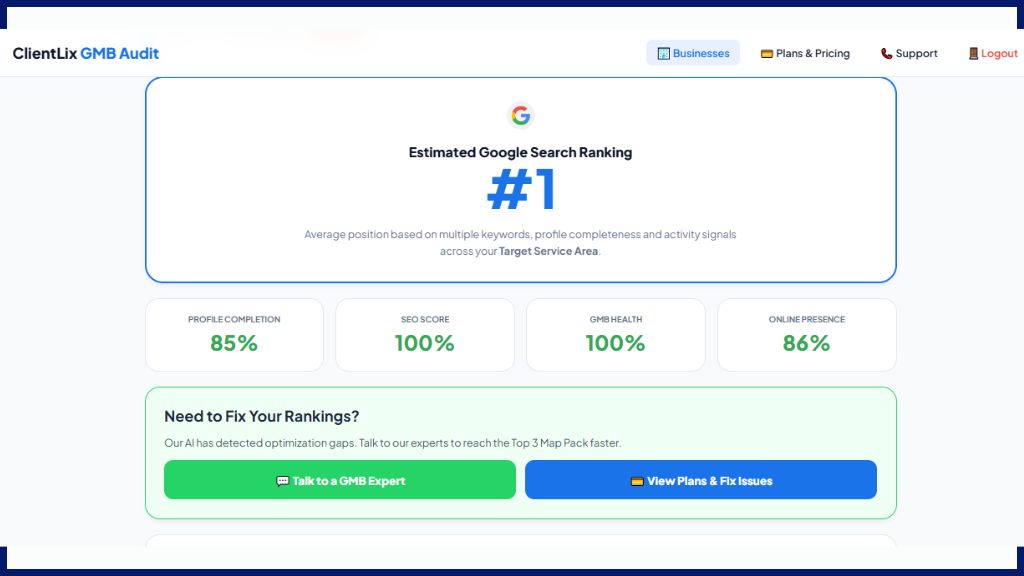
Ever wondered why some businesses show up for every search while yours only appears when someone types your exact name? The secret lies in two things: Primary Categories and Keyword Placement.
Google doesn’t just “guess” what you do. It relies on the categories you pick and the keywords you use in your profile. If you get these wrong, even a perfect 5-star rating won’t save your ranking. In this guide, we’ll show you how to use a Google My Business optimization tool to find the high-traffic keywords that your competitors are hiding.
Primary vs. Secondary Categories: The 80/20 Rule
Your Primary Category is the single most important ranking signal in local SEO. It tells Google exactly what your business is.
-
The Primary Category: This should be the most specific description of your core business (e.g., instead of just “Lawyer,” use “Divorce Attorney” if that’s your main work).
-
Secondary Categories: You can add up to 9 additional categories. These should describe the other services you provide (e.g., “Legal Services” or “Family Law Attorney”).
Our online GMB audit tool scans the top 3 businesses in your area and reveals which categories they are using. If they are using a specific category you’ve missed, our GMB audit report will flag it as an “Optimization Gap.”
How to Find Keywords That Actually Bring Customers
Keyword stuffing (repeating the same word over and over) will get you penalized. Instead, you need to find Buyer Intent Keywords.
Using our best local SEO tool, you can identify:
-
Service Keywords: Terms like “AC repair,” “bridal makeup,” or “home loan.”
-
Location Modifiers: Phrases like “in South Delhi,” “near Metro Station,” or “near me”.
-
Long-Tail Keywords: Specific questions customers ask, like “How much does dental cleaning cost in Mumbai?”.
Where to Place Your Keywords (The Right Way)
Once our GMB ranking tool gives you a list of target keywords, you must place them naturally in these areas:
1. Business Description
You have 750 characters. Use the first 250 characters to highlight your primary service and location, as this is what users see first.
2. Services & Products Section
Don’t just list “Plumbing.” Use “Emergency 24/7 Plumbing Repair”. This helps you appear in more specific searches.
3. Google Posts
Regularly post updates using different secondary keywords. This keeps your profile “fresh” in Google’s eyes.
4. Q&A Section
You can create your own FAQs. Use keywords in both the questions and the answers to capture “informational” searches.
Why Manual Guessing Fails (And Why Our Online Tool Wins)
Google has over 4,000 categories. Choosing the wrong one can lead to “Digital Obscurity”—where you rank for things you don’t even sell.
An online GMB audit tool is superior because:
-
Competitor “Spying”: It uncovers the hidden secondary categories of your #1 competitor.
-
Live SEO Score: As you update your categories and keywords on the dashboard, you can “Recalculate Live Score” to see your ranking potential grow.
-
No Download Required: You can optimize your entire keyword strategy from your browser, ensuring your data is always synced with Google’s latest 2025 updates.
5 Checklist Points for Keyword Mastery
From our GMB audit report checklist, ensure these are marked “YES”:
-
Search Keywords Optimized: Are your primary keywords present in the description?
-
Specific Primary Category: Is your main category as niche as possible?
-
Localized Content: Do your posts mention your city or neighborhood?
-
Service Descriptions: Does every service have a 100-word keyword-rich description?
-
Review Responses: Are you using keywords when replying to customers? (e.g., “Glad you liked our Italian Pasta!”).
FAQ: GMB Categories and Keywords
1. Can I change my primary category later?
Yes, but be careful. Changing your primary category can cause a temporary drop in rankings while Google re-indexes your business.
2. How many keywords should I put in my description?
Focus on 1–2 primary keywords and 3–4 supporting terms. Read it out loud; if it sounds like a robot wrote it, you are keyword stuffing.
3. Does the tool tell me which keywords my competitors use?
Yes! Our GMB ranking tool analyzes the profiles of top-ranking businesses to see which terms are driving their visibility.
4. Is there a GMB rank checker free for keyword tracking?
Yes, you can use our free online GMB audit tool to see how well your profile is optimized for your target keywords.
5. Why am I ranking for the wrong keywords?
This usually happens due to “Category Dilution”—adding too many irrelevant secondary categories. Our GMB audit report will help you clean this up.
6. Do I need an app to manage my keywords?
No. Our platform is a 100% online tool. You can perform keyword research and category audits directly from your browser.
Conclusion: Speak Google’s Language
Keywords and categories are how you talk to Google’s algorithm. If you speak clearly and accurately, Google will reward you with a spot in the Top 3 Map Pack.
Don’t let your business get lost in the wrong category. Use our free online GMB audit tool today to find the perfect keywords and categories for your niche. Get your instant GMB audit report and start outranking your competitors now!