
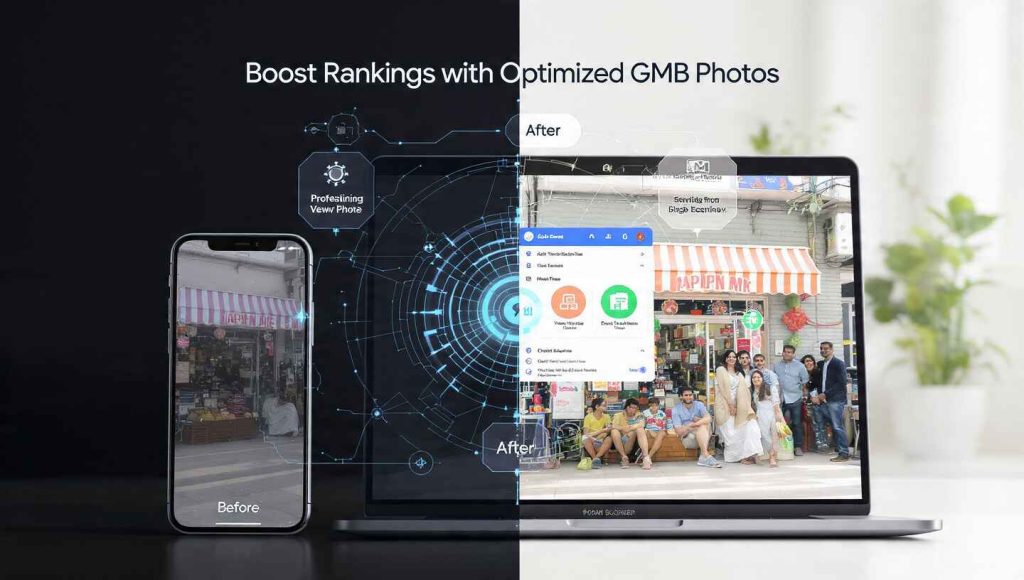
Many business owners think that uploading photos to their Google Business Profile is just for “looking good.” While aesthetics are important, in 2025, photos are a massive Local SEO ranking factor.
Google uses advanced Image Recognition technology (AI) to scan every photo you upload. It identifies objects, text, and even the “vibe” of your business. If your photos are high-quality and relevant, Google gains more confidence in your business and pushes you higher in the Local Map Pack.
In this article, we’ll show you how to use a Google My Business optimisation tool to audit your visual content and why “real” photos beat stock photos every single time.
How Google “Reads” Your Photos
Google doesn’t just see a file; it sees data. Through its Cloud Vision AI, Google analyzes:
-
Objects & Labels: If you are a baker and upload photos of sourdough bread, Google labels your profile as “Authentic Bakery.”
-
Text (OCR): Google reads signs, menus, and banners inside your photos to confirm your services.
-
Context: It identifies your team at work, your storefront, and your happy customers, which builds E-E-A-T (Experience, Expertise, Authoritativeness, and Trustworthiness).
Our online GMB audit tool helps you understand if your current photos are sending the right signals to Google or if they are confusing the algorithm.
Why You Need a GMB Audit for Visual Content
Most profiles have outdated, blurry, or low-resolution images. A GMB audit for Local SEO will point out exactly where your visual strategy is failing.
When you run our online tool, the GMB audit report checks for:
-
Photo Quantity: Do you have at least 100+ images? (Stats show that businesses with 100+ photos get 520% more calls).
-
Photo Quality: Are your images bright and in focus?
-
Category Coverage: Do you have a healthy mix of Interior, Exterior, Team, and Product shots?
-
Customer-Generated Content: Are your customers uploading photos? These are the most trusted signals for Google.
Key Visual Features of the Best Local SEO Tool
You don’t need to be a professional photographer to win at Local SEO. You just need the right insights. An online GMB audit tool provides:
1. Competitor Photo Comparison
The tool looks at the top 3 ranking businesses in your area. If the #1 ranked plumber has 50 “at-work” photos and you only have 5, the tool tells you exactly how many you need to upload to compete.
2. Resolution & Format Check
Google prefers JPG or PNG formats between 10 KB and 5 MB. Our best GMB audit tool automatically flags images that are too small or poorly cropped, ensuring your profile looks professional on both mobile and desktop.
3. Geotag Verification
While Google often uses GPS data from phones, a professional GMB ranking tool checks if your photos are correctly associated with your physical location, strengthening your “Distance” authority.
Online Tools vs. Downloadable Apps for Photo Management
In 2025, nobody wants to download bulky software. Here is why our online GMB tool is the better choice:
-
Instant Sync: Since it’s an online platform, it syncs directly with your Google Business Profile. There is no app and no download required.
-
Storage Friendly: High-res photos take up a lot of space. By using an online tool, you can manage your visual library in the cloud without slowing down your computer.
-
Security: Downloading random SEO apps can be risky. A browser-based Google My Business optimization tool is secure and follows official Google API protocols.
5 Pro Tips to Improve Your Rank with Photos
Follow this checklist derived from our GMB audit report to start climbing the rankings today:
-
Upload Weekly: Don’t dump 50 photos at once. Upload 2–3 fresh photos every week to show Google that your business is active.
-
Show the Team: People trust faces, not logos. Upload photos of your team helping customers.
-
The “Exterior” Secret: Take a photo of your shop from across the street. This helps Google’s “Street View” AI recognize your location and helps customers find you.
-
No Stock Photos: Google can easily spot stock images. Using them can actually hurt your trust score. Always use real, original photos.
-
Audit Regularly: Use the GMB rank checker free version to see if your ranking improves after you add new, high-quality photos.
FAQ: GMB Photos and Optimization
1. Does adding more photos really improve my ranking?
Yes! Google’s data shows that profiles with more photos receive significantly more requests for directions and website clicks, which indirectly boosts your ranking.
2. Can I use my phone to take photos for GMB?
Absolutely. Modern smartphone cameras are perfect. Just ensure the lighting is good and the lens is clean.
3. What is the best resolution for GMB photos?
Google recommends a resolution of 720 x 720 pixels. Our online GMB audit tool can check if your photos meet these standards.
4. Why are my photos not showing up on Google?
Photos might be “Pending” or “Not Approved” if they violate Google’s policies (e.g., too much text or low quality). A GMB audit report can help you identify these issues.
5. Is there a free tool to check my GMB photo health?
Yes! You can use our free online GMB audit tool to get a complete breakdown of your photo count and how it compares to your top competitors.
6. Do I need to download a PDF to see my results?
No. While you can save the report, our tool is a 100% online tool. You can view your photo audit and ranking data directly in your browser.
Conclusion: A Picture is Worth a Thousand Leads
In the competitive world of local search, your photos are your first impression. If they are dark, blurry, or non-existent, customers will scroll right past you to your competitors.
Stop leaving your visual identity to chance. Use our free online GMB audit tool today to see your profile through Google’s eyes. Get your instant GMB audit report and start uploading the images that will put you at the top of the map!